Free Expense Report Template
Fill in your expenses and business miles, check the live preview, and download a PDF ready to sign or an Excel file. Mileage uses the 2026 IRS rate for each trip date.
- 1Enter details
- 2Review preview
- 3Download PDF or Excel
How to fill out an expense report
- Add who and when. Your name, the company, the approver, the business purpose and the period the report covers.
- List each expense. Date, category, what it was for, the merchant, a receipt number and the amount.
- Mark company-paid items. Lines paid on a company card stay on the report for the record but are not reimbursed.
- Add business miles. Date, from, to and purpose, and the miles. The rate for the date is applied for you.
- Subtract any advance. The report shows the reimbursement due, or what is owed back.
- Download, sign and attach receipts. PDF for the approver, Excel for your records.
Sample expense report
A filled-in example for a short sales trip, worked out by the same calculator as the template. The names and amounts are made up.
| Report no. | EXP-1042 |
| Employee | Jordan Ellis |
| Employee ID | E-2207 |
| Department | Sales |
| Period | 06/29/2026 to 07/03/2026 |
| Date | Category | Description | Receipt | Amount |
|---|---|---|---|---|
| 06/29/2026 | Lodging | Hotel, 4 nights in Dayton and CincinnatiRiverside Inn | R-101 | $536.80 |
| 06/30/2026 | Meals | Dinner while travelingMain Street Grill | R-102 | $38.75 |
| 07/01/2026 | Parking and tolls | Parking at client officeCity Center Garage | R-103 | $18.00 |
| 07/02/2026 | Client meals | Lunch with client to review the fall orderCafe Verde | R-104 | $86.20 |
| 07/02/2026 | Training and conferences | Trade show registrationRegional Supply Expo. Paid by company | R-105 | $450.00 |
| Date | Business mileage | Miles | Rate | Amount |
|---|---|---|---|---|
| 06/29/2026 | Columbus office to Dayton client | 72 | $0.725 | $52.20 |
| 07/02/2026 | Dayton to Cincinnati client site | 54 | $0.760 | $41.04 |
| 07/03/2026 | Cincinnati back to Columbus office | 107 | $0.760 | $81.32 |
| Lodging | $536.80 |
| Training and conferences | $450.00 |
| Mileage | $174.56 |
| Client meals | $86.20 |
| Meals | $38.75 |
| Parking and tolls | $18.00 |
Receipts R-101 to R-105 attached. Trade show registration paid on the company card.
| Expenses | $1,129.75 |
| Mileage (233 mi) | $174.56 |
| Total | $1,304.31 |
| Less paid by company | -$450.00 |
| Less cash advance | -$300.00 |
| Reimbursement due | $554.31 |
I certify these expenses were incurred for business and that receipts are attached where required.
- Mileage at the rate for each date. 72 miles on 06/29/2026 at 72.5 cents is $52.20; 54 miles on 07/02/2026 at 76 cents is $41.04; 107 miles on 07/03/2026 at 76 cents is $81.32.
- Company card items are shown, not reimbursed. The trade show registration ($450.00) was paid by the company, so it stays on the report for the record but is not added to what the employee is owed.
- The advance comes off at the end. $679.75 paid by the employee plus $174.56 of mileage is $854.31. Less the $300.00 cash advance, $554.31 is due to the employee.
More expense report examples
Two more filled-in reports, worked out by the same calculator. Names and amounts are made up.
Monthly mileage report
A home health aide claims 271 business miles for August 2026, with no other expenses. Every trip is after July 1, 2026, so each one uses 76 cents a mile.
| Date | Miles | Amount |
|---|---|---|
| 08/03/2026 | 38 | $28.88 |
| 08/07/2026 | 52 | $39.52 |
| 08/12/2026 | 41 | $31.16 |
| 08/18/2026 | 64 | $48.64 |
| 08/24/2026 | 47 | $35.72 |
| 08/28/2026 | 29 | $22.04 |
| Reimbursement due | 271 | $205.96 |
Cash advance larger than the expenses
An employee took a $600.00 advance for a conference and spent $506.80. The report shows $93.20 owed back to the company. Under the IRS safe harbor, the excess should be returned within 120 days.
| Expense | Amount |
|---|---|
| Round-trip flight to Chicago | $248.00 |
| Hotel, 2 nights | $189.00 |
| Meals while traveling | $41.30 |
| Train from the airport | $28.50 |
| Less cash advance | -$600.00 |
| Owed back to the company | $93.20 |
What an expense report should show
An expense report is a form an employee uses to list the business expenses they paid themselves, such as travel, meals, mileage and supplies, so the employer can check them against the receipts and pay them back.
The IRS says documentary evidence is adequate when it shows the amount, date, place and essential character of the expense, and that you must generally write down the business purpose. An expense report is where those details live, next to the receipt numbers that tie each line to its receipt.
Keep receipts for lodging and for any other expense of $75 or more; below that the IRS does not require documentary evidence for most expenses. Employers often set a stricter rule, so check yours.
Which mileage rate the template uses
The IRS changed the 2026 business rate partway through the year. Miles are reimbursed at the rate for the date they were driven, which is what the generator does. For every 2026 rate and how the July 1 change works, see the IRS mileage rate 2026 guide.
| Miles driven | Business rate | Source |
|---|---|---|
| 01/01/2026 to 06/30/2026 | 72.5 cents per mile | IR-2025-128, Notice 2026-10 |
| 07/01/2026 to 12/31/2026 | 76 cents per mile | Announcement 2026-11 |
Rates from the IRS standard mileage rates page. Employers can reimburse at a different rate; choose Company rate in the mileage section to use yours. Under IRS Publication 463, only the amount up to the IRS rate counts as substantiated, so any part of a higher rate the employee keeps is reported as wages.
Rates checked against irs.gov on October 12, 2026 by M. Humza. See how we check figures.
Accountable plans: when reimbursements are not wages
Under IRS rules in Publication 15, reimbursements paid under an accountable plan are not wages and are not subject to income tax withholding, Social Security, Medicare or FUTA. The plan must require all three of these:
- The expenses are allowable business expenses paid or incurred while working for the employer, and the reimbursement is not a replacement for wages.
- The employee substantiates the expenses within a reasonable period, which is what an expense report with receipts does.
- The employee returns any amount in excess of the substantiated expenses within a reasonable period.
As a safe harbor, the IRS treats it as reasonable when the advance comes within 30 days of the expense, the employee accounts within 60 days, and any excess is returned within 120 days. Amounts that miss the rules are taxed as wages.
Business expense spreadsheet or online template?
Use the online template above when you want the mileage rate applied, the totals checked and a clean PDF for sign-off; Download Excel gives you the same report as a spreadsheet. If you prefer to start from a blank business expense spreadsheet, the files below have the formulas built in.
The same template works as a simple monthly expense report, a travel expense report for one trip, or an employee expense reimbursement form: set the period, then add the expenses and miles that belong to it.
Expense report template (Excel)
Expense lines with a category list, paid-by column, mileage rows, cash advance and a reimbursement due formula. Works in Google Sheets.
Download XLSXExpense report template (Word)
An editable .docx with expense lines, a paid-by column, a mileage log, totals and signature lines. Opens in Google Docs too.
Download DOCXBlank expense report (PDF)
A printable form with lines for expenses and mileage and signature lines for the employee and approver.
Download PDF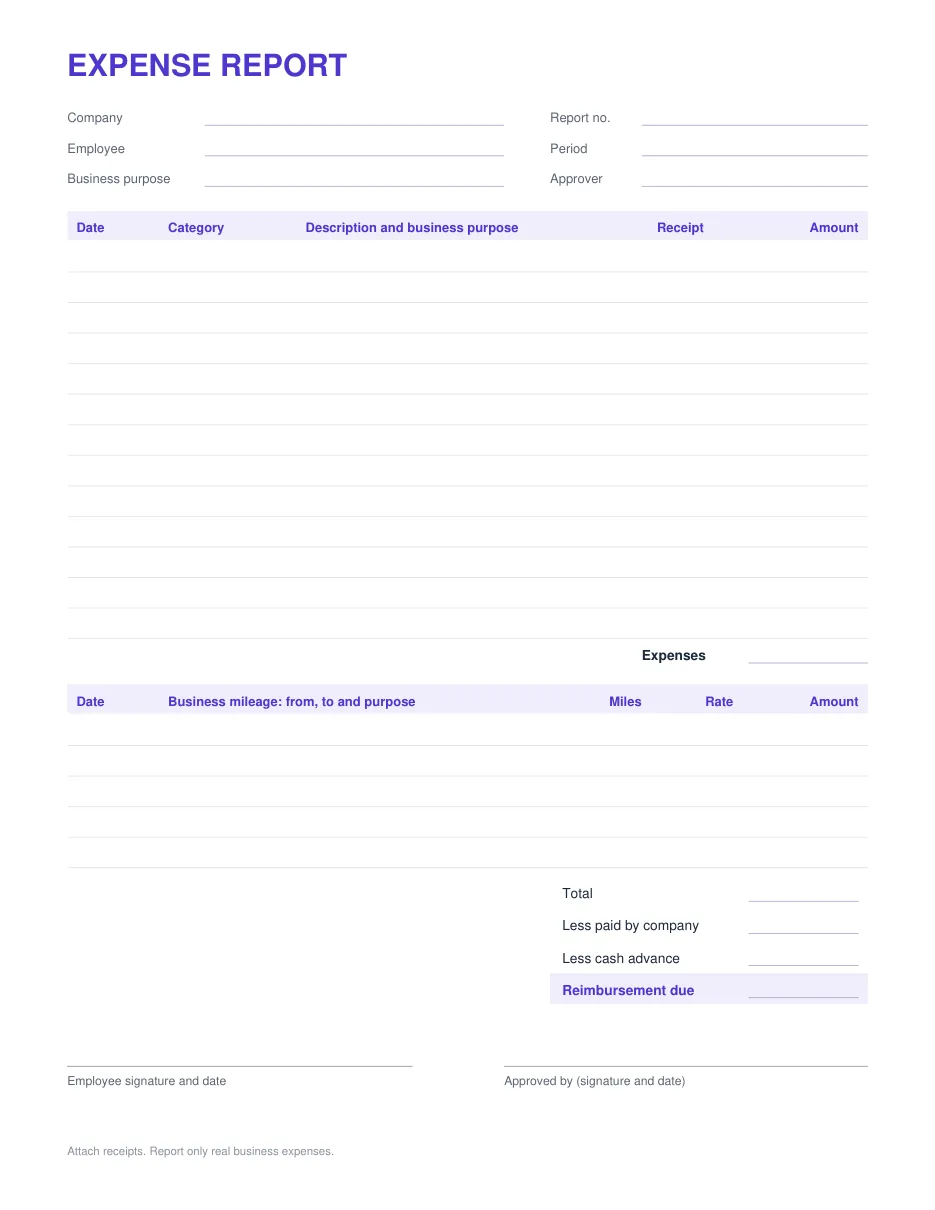
The Excel and Google Sheets templates fill in 76 cents a mile, the IRS rate from July 1, 2026. For miles driven before then, change the Rate cell on that row to 72.5 cents.
Expense report template for Google Sheets
Make your own copy of our Google Sheet. It is saved privately to your Drive, needs a Google account, and keeps the category list, mileage at 76 cents a mile and the reimbursement due formula.
Or upload the Excel file yourself:
- Download the Excel template above.
- In Google Drive, choose New, then File upload, and pick the file.
- Open it and choose File, then Save as Google Sheets. The totals and reimbursement due keep calculating.
- Make a copy of the sheet for each new report, so every period keeps its own record.