Free Estimate Template and Quote Generator
An estimate tells a client what a job should cost before the work starts. Fill in this free estimate template online: price the job line by line, set how long the price holds and any deposit, and download a PDF estimate or quote with a signature line, or use the blank Word, Excel and PDF templates below.
Reviewed by M. Humza. Updated October 4, 2026. Fill in the form
How do I create an estimate?
- Describe the job. List the work in the order it will be done, one line per task, material or block of hours.
- Price each line. Quantity, unit and price. Mark a line taxable only if your state taxes it.
- Set the validity. Choose how many days the price holds. The valid-until date prints on the estimate.
- Ask for a deposit if you need one. Enter a percentage and the amount to start appears under the total.
- Write your terms. What is included and excluded, and what happens if the job changes.
- Send it for signature. The estimate ends with an Accepted by line for the client to sign and date.
What does a good estimate look like?
An estimate is often the first document a client sees from you, and the one they compare against other bids. A clear one has these parts.
| Part | What to put in it |
|---|---|
| Your business details | Name, address, phone and email, plus your license number if your trade is licensed in your state. |
| Estimate number and date | So you and the client can refer to the same version. |
| Valid until | The date the price stops holding. Material and labor costs change. |
| Client and job site | Who the estimate is for and where the work happens. |
| Scope of work | One line per task, material or block of hours, with quantity, unit and price. |
| Sales tax | Only on the lines your state taxes. Some trades charge none. |
| Total and deposit | The estimated total, and the amount needed to start if you ask for a deposit. |
| Terms | What is included and excluded, how changes are priced, and when payment is due. |
| Acceptance | A line for the client to sign and date, so you have a record of what was agreed. |
Estimate example: a bathroom tile job
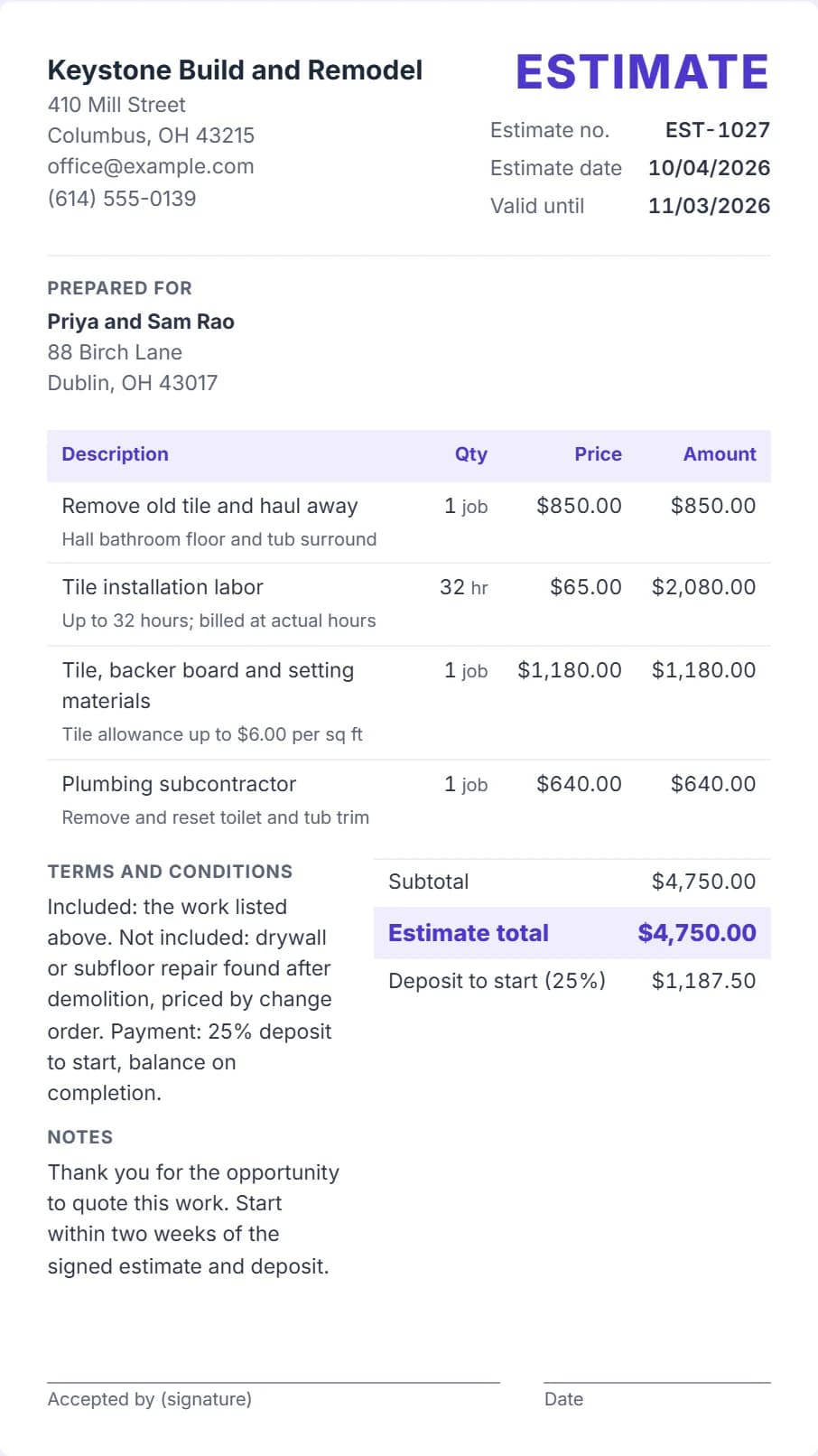
Keystone Build and Remodel, a remodeler in Columbus, Ohio, quotes a bathroom tile job for a home in Dublin. The estimate lists demolition, up to 32 hours of tile labor at $65.00 an hour, materials with a tile allowance, and a plumbing subcontractor.
| Line | Amount |
|---|---|
| Remove old tile and haul away | $850.00 |
| Tile installation labor | $2,080.00 |
| Tile, backer board and setting materials | $1,180.00 |
| Plumbing subcontractor | $640.00 |
| Estimate total | $4,750.00 |
| Deposit to start, 25% | $1,187.50 |
No line is taxable: Ohio treats tile work that becomes part of the house as a construction contract, so the remodeler pays sales tax when buying materials and charges none on the estimate (Ohio Adm.Code 5703-9-14). The price holds for 30 days. The names are invented and the prices are placeholders.
Free estimate templates: Word, Excel and PDF
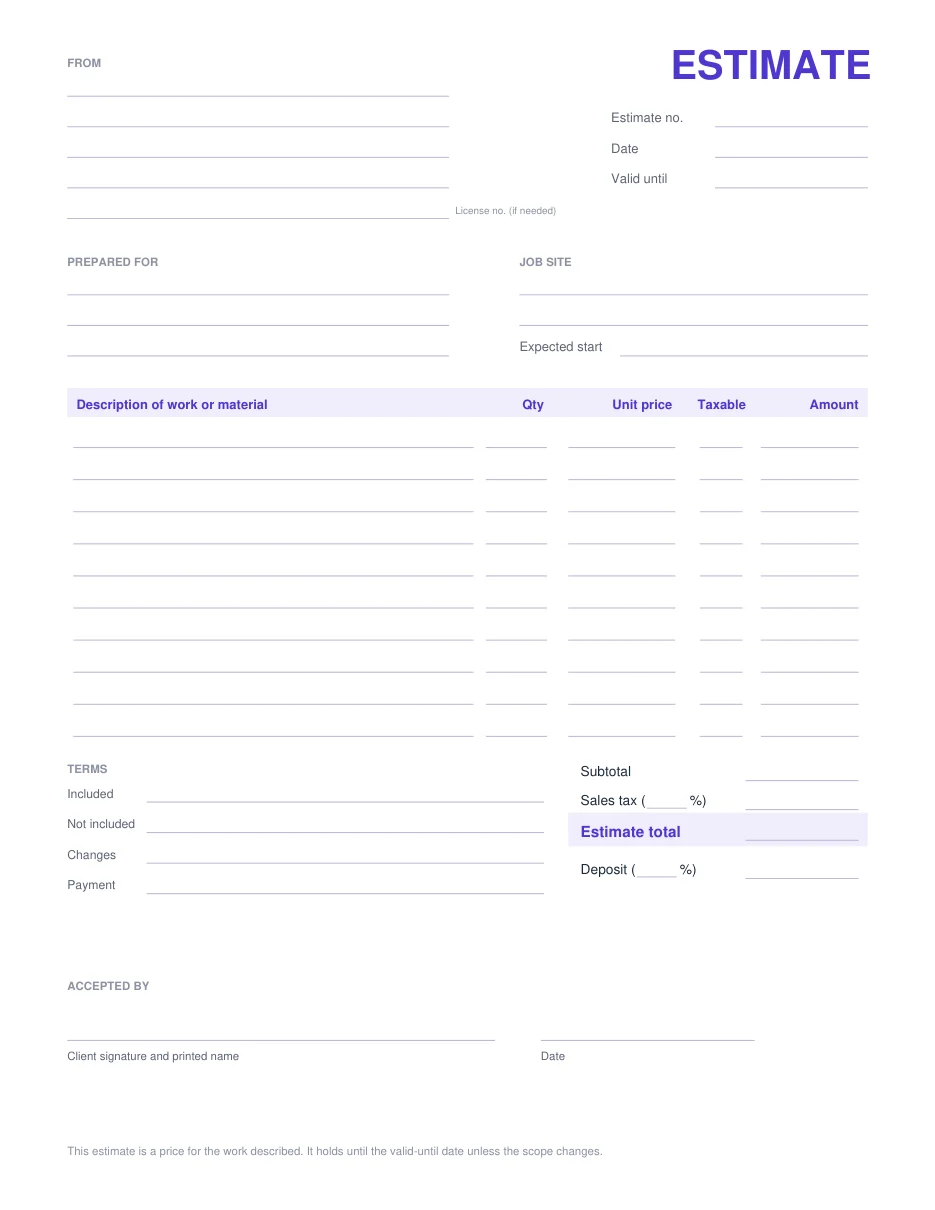
Prefer a file? These blank estimates have the same parts as the generator. They are free, with no signup, and each one works as a quote template or a contractor estimate template.
- Word estimate template Editable DOCX with the item table, totals, deposit, terms and signature line.
- Excel estimate template Line amounts, sales tax, total, deposit and valid-until date worked out by formulas. Opens in Google Sheets too.
- Blank estimate PDF Print it and fill it in by hand at the job site.
- Fillable estimate PDF Type into the fields in a PDF reader, then save or print.
Estimate, quote, bid and proposal: what is the difference?
These words overlap. An estimate is an informed guess that can move if the job turns out different. A quote is usually a fixed price for a defined scope. A bid is a price submitted in competition with others, and a proposal adds the approach, timeline and qualifications.
This generator makes the priced document for any of them. Change the wording in the notes and terms to match. For how far a bill may go over an estimate, see quote vs estimate vs invoice.
How do I price an estimate?
Build the price from the bottom up: materials at your cost plus any markup, labor as hours times your rate, then equipment, permits, disposal and travel as their own lines. Listing them separately shows the client where the money goes.
If a quantity is uncertain, say so in the detail line, as the example does with up to 32 hours. Then the invoice can show the actual hours without surprising the client.
How much deposit should I ask for?
Enough to cover materials you buy before the job starts, which is why the deposit is a percentage of the total in the form. Some states limit deposits on certain jobs: California, for example, caps the down payment on a home improvement contract (Business and Professions Code 7159.5). Check your state before asking.
When the client pays it, give them a receipt from the receipt generator marked as a partial payment.
Is an estimate legally binding?
An estimate on its own is usually an offer. Once the client signs or otherwise accepts it, it can become part of a contract, so put your terms on it and keep the signed copy.
Some trades have their own rules. California, for example, requires auto repair shops to give a written estimate for labor and parts before the work (Business and Professions Code 9884.9). This page is general information, not legal advice.
From estimate to invoice
When the client accepts, keep the signed estimate. Once the work is done, create the invoice in the invoice generator with the same line items, adjusted for any approved changes, and record the deposit as a payment received. Trade presets are on the invoice templates page.